


Traffic spikes every October, but is your website ready to handle the rush? Many small businesses miss out because of slow page speeds, broken links, or outdated plugins that scare visitors away. A quick website health check can catch these issues before they cost you leads. Keep reading to learn the key fixes that will get your site ready for fall marketing—and how Triad Web Design Service can help you make them fast and affordable.
Critical Website Fixes for Fall
Getting your website ready for fall traffic means tackling some essential fixes. Let’s dive into the critical areas you should focus on.
Boosting Site Speed and Core Web Vitals
Site speed is crucial for keeping visitors on your page. A slow website can drive potential customers away. To improve your site’s speed, consider optimizing images, enabling browser caching, and minimizing CSS and JavaScript. These changes can significantly enhance load times.
Moreover, pay close attention to Core Web Vitals. These metrics include loading performance, interactivity, and visual stability. Tools like Google’s PageSpeed Insights can provide valuable insights into your site’s performance. Improving these metrics not only boosts user experience but also positively impacts your SEO. Check out this resource for more on improving these metrics.
Enhancing Mobile Usability and Responsive Design
With more users browsing on their phones, making your site mobile-friendly is non-negotiable. A responsive design ensures your site looks great on any device. Test your site on various screen sizes to ensure usability.
Consider simplifying navigation, ensuring buttons are easy to click, and checking that content scales properly. An easy-to-use mobile site keeps visitors engaged and increases the chances of conversion. Not sure where to start? This guide offers practical tips.
Ensuring SSL Security and Backups
SSL security is essential for protecting your site’s data and building trust with users. If your site URL doesn’t start with “https,” it’s time to get an SSL certificate. This not only secures data but also positively affects your site’s ranking.
Regular backups are another critical component. They ensure that your data is safe, even if something goes wrong. Tools like UpdraftPlus can automate backups for you. A secure, backed-up site gives you peace of mind and keeps your visitors’ data safe.
Elevating SEO and Conversion

Once your site is stable and secure, it’s time to focus on visibility and conversions. Here’s how to elevate your SEO game.
Streamlining On-Page and Local SEO
On-page SEO involves optimizing elements like meta tags, headers, and content. Use tools like Yoast SEO to guide you through this process. Don’t forget to include your primary keywords naturally in your content.
Local SEO is equally important, especially for small businesses. Ensure your business information is consistent across all directories. For more on local SEO strategies, this article is a must-read.
Optimizing Google Business Profile
Your Google Business Profile is a powerful tool for attracting local customers. Make sure all information is accurate and up-to-date. Add high-quality photos and encourage satisfied customers to leave reviews. This boosts your visibility and helps build trust with potential clients.
Engage with updates regularly to keep your profile fresh. This shows potential customers that you’re active and engaged, increasing the likelihood of them choosing your business.
Implementing Contact Form and GA4 Tracking 📈
A user-friendly contact form can significantly increase your conversion rate. Ensure it’s easy to find and simple to fill out. Test the form on different devices to ensure it works seamlessly.
Google Analytics 4 (GA4) tracking provides essential data about your site’s performance. Set up GA4 to track key metrics such as page views and user engagement. This data helps you make informed decisions about your marketing strategy.
Maintenance and Quick Wins
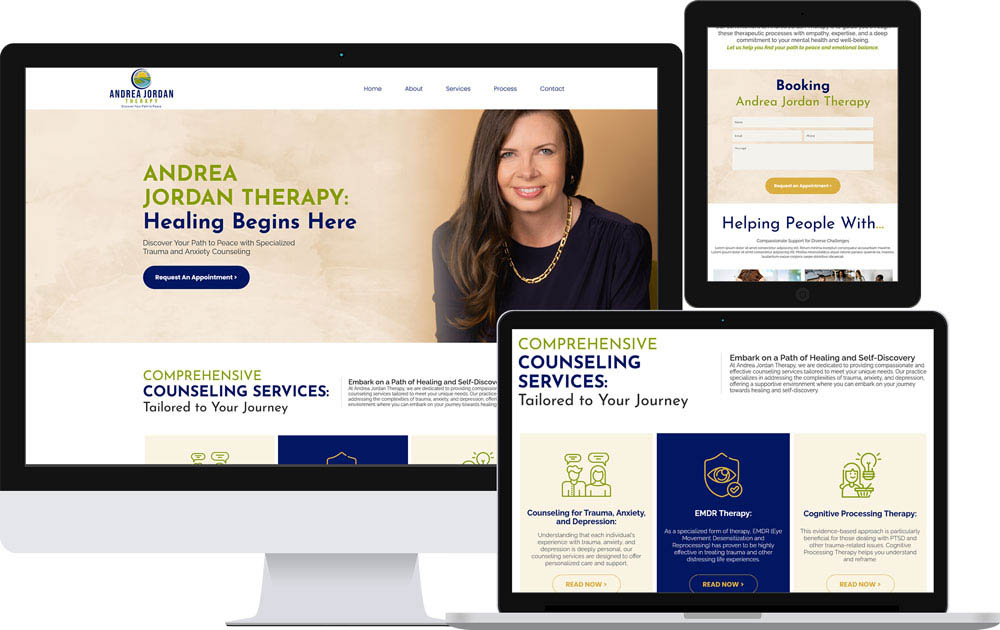
Regular maintenance and quick fixes can make a significant difference. Here’s what to focus on.
Handling WordPress Maintenance and Plugin Updates
Regular maintenance keeps your site running smoothly. Update WordPress and all plugins to the latest versions to ensure security and functionality. Outdated plugins can slow down your site and pose security risks.
Schedule regular maintenance checks to stay on top of updates. This proactive approach prevents issues before they arise and ensures your site remains in top shape.
Cleaning Up Broken Links and 404 Errors
Broken links can frustrate users and harm your SEO. Use tools like Broken Link Checker to identify and fix these issues. Redirect any broken links to relevant pages to maintain user engagement.
404 errors can also be a turn-off for visitors. Customize your 404 page to provide helpful information and direct users back to main sections of your site.
Applying Schema Markup for Better Visibility 🚀
Schema markup is a powerful tool for enhancing your site’s visibility in search engine results. It helps search engines understand your content better and display rich snippets. Implement schema markup to improve your click-through rates and stand out in search results.
Consider marking up product pages, reviews, and business details. This added context can significantly improve your search visibility.
Frequently Asked Questions
What is a website health check?
A website health check is a comprehensive review of your site’s performance, security, and usability. It identifies areas for improvement to enhance user experience and search rankings.
How can I improve my site speed?
Improve site speed by optimizing images, enabling caching, and minimizing CSS and JavaScript. Tools like PageSpeed Insights can help identify specific areas for improvement.
Why is mobile usability important?
Mobile usability is crucial because more users access websites via mobile devices. A mobile-friendly site ensures a seamless user experience, leading to higher engagement and conversions.
What is SSL security, and why do I need it?
SSL security encrypts data transmitted between the user’s browser and your server, protecting sensitive information. It also helps build trust with users and improves your site’s search rankings.
How often should I perform website maintenance?
Regular website maintenance should be performed monthly. This includes updating software, checking for broken links, and ensuring backups are up-to-date.


